This is the script I used to combine multiple git repositories into a single git repository with commits ordered chronologically without duplicate commits. Will use a working project as an example. This script will generate patch files of commits from all the repos combined ordered by time ascending.
#!/usr/bin/env bash

set -euo pipefail

REPOS=(
  "/Users/jsloop/dev/api-zen/APIZenIOS"
  "/Users/jsloop/dev/api-zen/AZData"
  "/Users/jsloop/dev/api-zen/AZCommon"
  "/Users/jsloop/dev/api-zen/AZPhone"
  "/Users/jsloop/dev/api-zen/APIZenMac"
)

OUT_DIR="$(pwd)/api-zen-combined-patches"
TMP_FILE="$(mktemp)"

mkdir -p "$OUT_DIR"

# Collect commit metadata
for repo in "${REPOS[@]}"; do
  (
    cd "$repo"
    git log --reverse --format="%ct %H $(basename "$repo")"
  )
done > "$TMP_FILE"

# Sort by commit time
sort -n "$TMP_FILE" | while read -r ts sha repo; do
  repo_path=""
  for r in "${REPOS[@]}"; do
    if [[ "$(basename "$r")" == "$repo" ]]; then
      repo_path="$r"
      break
    fi
  done

  (
    cd "$repo_path"
    git format-patch -1 "$sha" --stdout
  ) > "$OUT_DIR/$(printf "%012d" "$ts")-$repo-$sha.patch"
done

rm "$TMP_FILE"

echo "Patches written to $OUT_DIR"
Now in a new repo, import these patches.
git init
git am --committer-date-is-author-date --3way ../api-zen-combined-patches/*.patch
This gave a repo with history intact. And there are no duplicate commits. I had to do some code reorg but I think that's repo specific.
The API Zen project initially was a single repo. Then I split it into multiple repos for each framework. There is no single repo holding everything. To upload it to GitHub as a single repo, I tried the below snippet first to generate a monorepo using subtree.
cd api-zen-monorepo
git init

cp -R ../api-zen/APIZen.xcworkspace .
git add .
git commit -m "Monorepo setup with xcworkspace"

git remote add APIZenIOS ../api-zen/APIZenIOS
git fetch APIZenIOS
git subtree add --prefix=APIZenIOS APIZenIOS main
git remote remove APIZenIOS

git remote add AZCommon ../api-zen/AZCommon
git fetch AZCommon
git subtree add --prefix=AZCommon AZCommon main
git remote remove AZCommon

git remote add AZData ../api-zen/AZData
git fetch AZData
git subtree add --prefix=AZData AZData main
git remote remove AZData

git remote add AZPhone ../api-zen/AZPhone
git fetch AZPhone
git subtree add --prefix=AZPhone AZPhone main
git remote remove AZPhone

git remote add APIZenMac ../api-zen/APIZenMac
git fetch APIZenMac
git subtree add --prefix=APIZenMac APIZenMac main
git remote remove APIZenMac

git push -u origin main
This doesn't give a clean history. And for some reason it is giving duplicate commits starting from some random point with all timelines messed up. I think it's an issue with my original repo. It already shows duplicate history due to some merge issue.
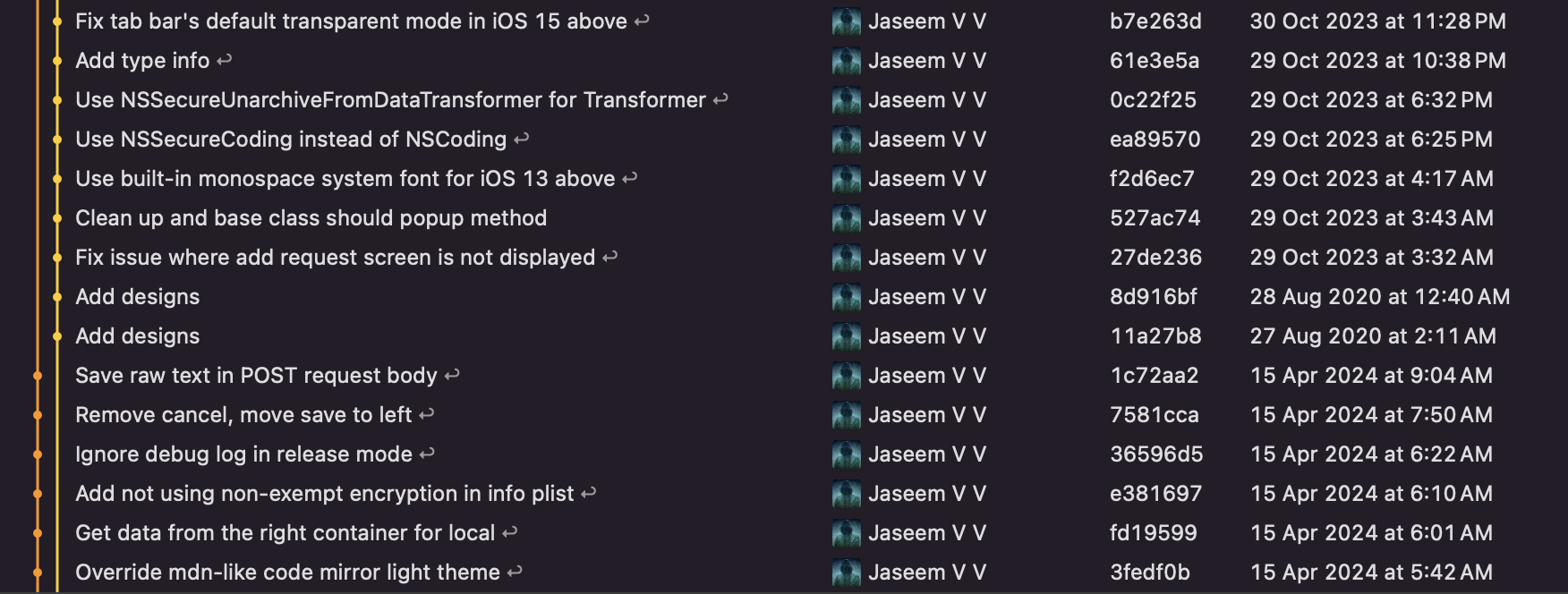
I fixed it using the below script. But I still get duplicates.
brew install git-filter-repogit filter-repo --commit-callback '
if commit.original_id in {
b"8d916bf3bcd615c326554e84d8d1eb2aea82417b",
b"11a27b84b6c7f2390f2ee69f0ebafb65708f2985",
# ...
}:
commit.skip()
'Which deletes the duplicates based on the specified SHA list. Then the history gets disjoint at some point. To fix this, I used a rebase. Rebase the root of the first half to the top of second half. The SHA is the top commit of the lower half.
git rebase --root --onto 0a2934b77d2f04026873b2888131e5dfab141fe8This joins the git history and shows no duplicates. But the commits have separate committer and author now. This doesn't make the commit history appear in its original timeline in GitHub. So I used the below script to fix this.
git filter-branch --env-filter 'export GIT_COMMITTER_DATE="$GIT_AUTHOR_DATE"' -fAnd now it shows duplicate history starting from some other random point. I am not sure if tags has something to do with this too. This could be something specific to my repo.
I then tried with exporting all commits as patches and then applying it on a new repo and that solved the problem.