After many years of working on my indie app API Zen, I couldn't just ignore the fact that it's only going to get expensive to maintain the app financially and brain cycle wise. Long story short, I am no longer interested in developing native apps for any platform except the web.
I started working on the macOS implementation of API Zen with SwiftUI this month and had made considerable progress working few but consistent hours daily but was hitting roadblocks on every single UI element implementation. For whatever the default behaviour SwiftUI has it is easy to write the code and get it working. There is a consistency among all the components unlike AppKit or UIKit where each UI component has its own way of doing things and knowing one doesn't help with the other much. And AppKit is very difficult to work with just having Apple API documentation. I couldn't find any tutorial for the things I wanted to implement and we need this to get things that are not yet available in SwiftUI which is a lot. The point here being SwiftUI is nowhere near production ready for any app that has at least some degree of complexity. I know we couldn't wait 30 years to catch up with the AppKit implementation. Still, we need AppKit for many things and it doesn't work in sync with UIs created with SwiftUI.
Let's start with what I am trying to solve. I want window management, tab management, window and tab state restoration on app launch with all the UI element preferences that user selected restored. To get a clear picture, let's see my current implementation of the app. It's using debug data.
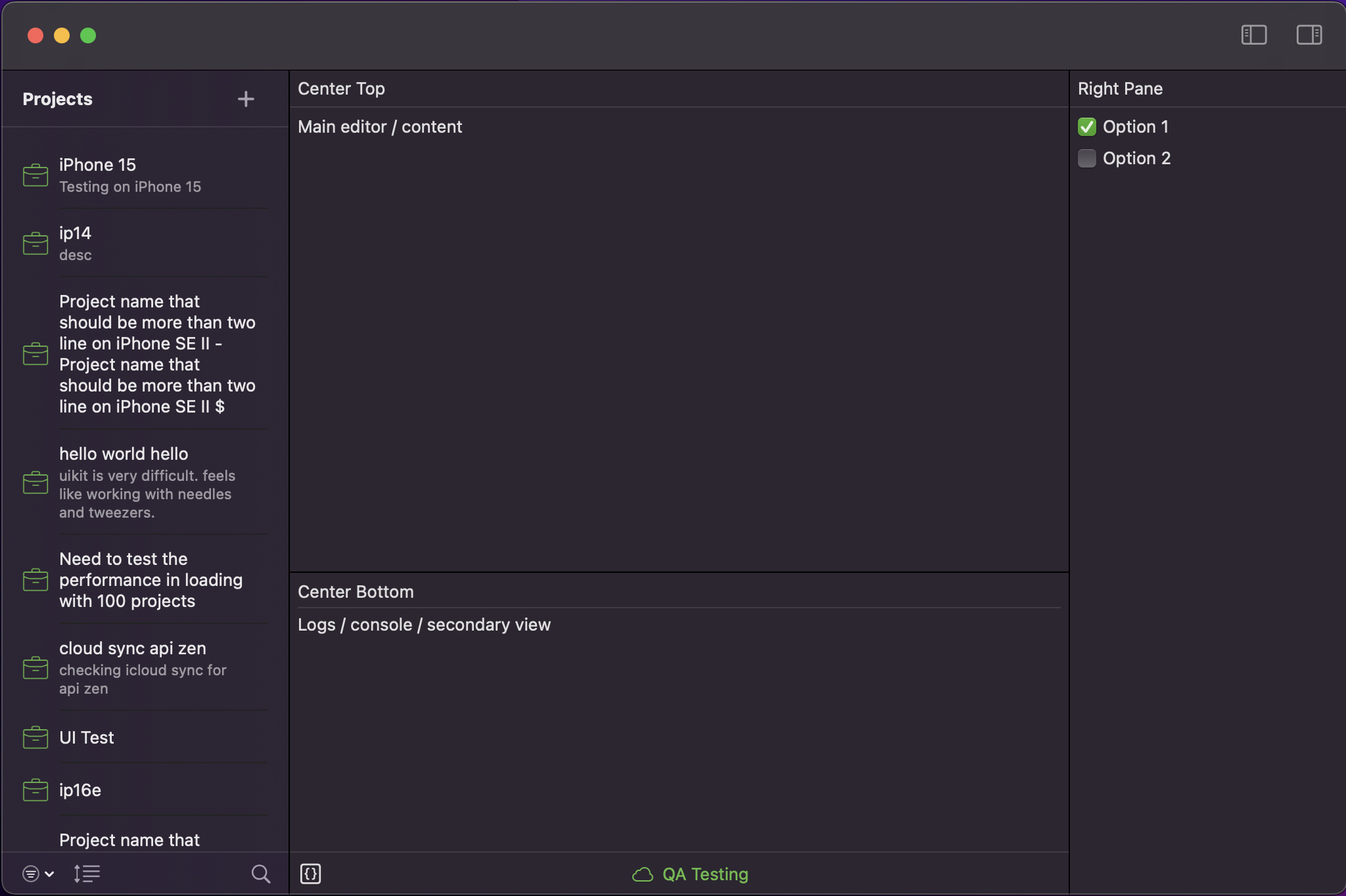
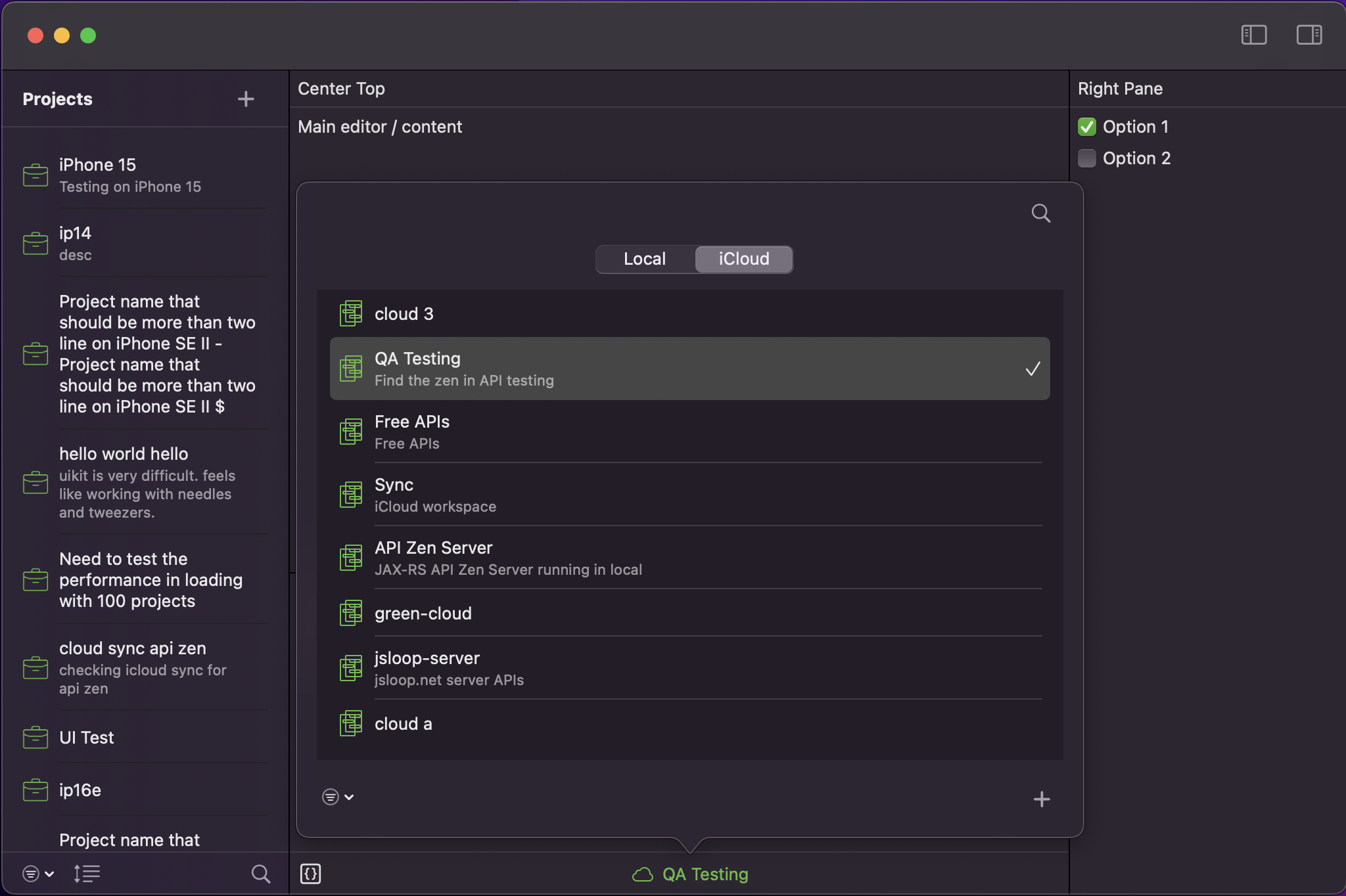
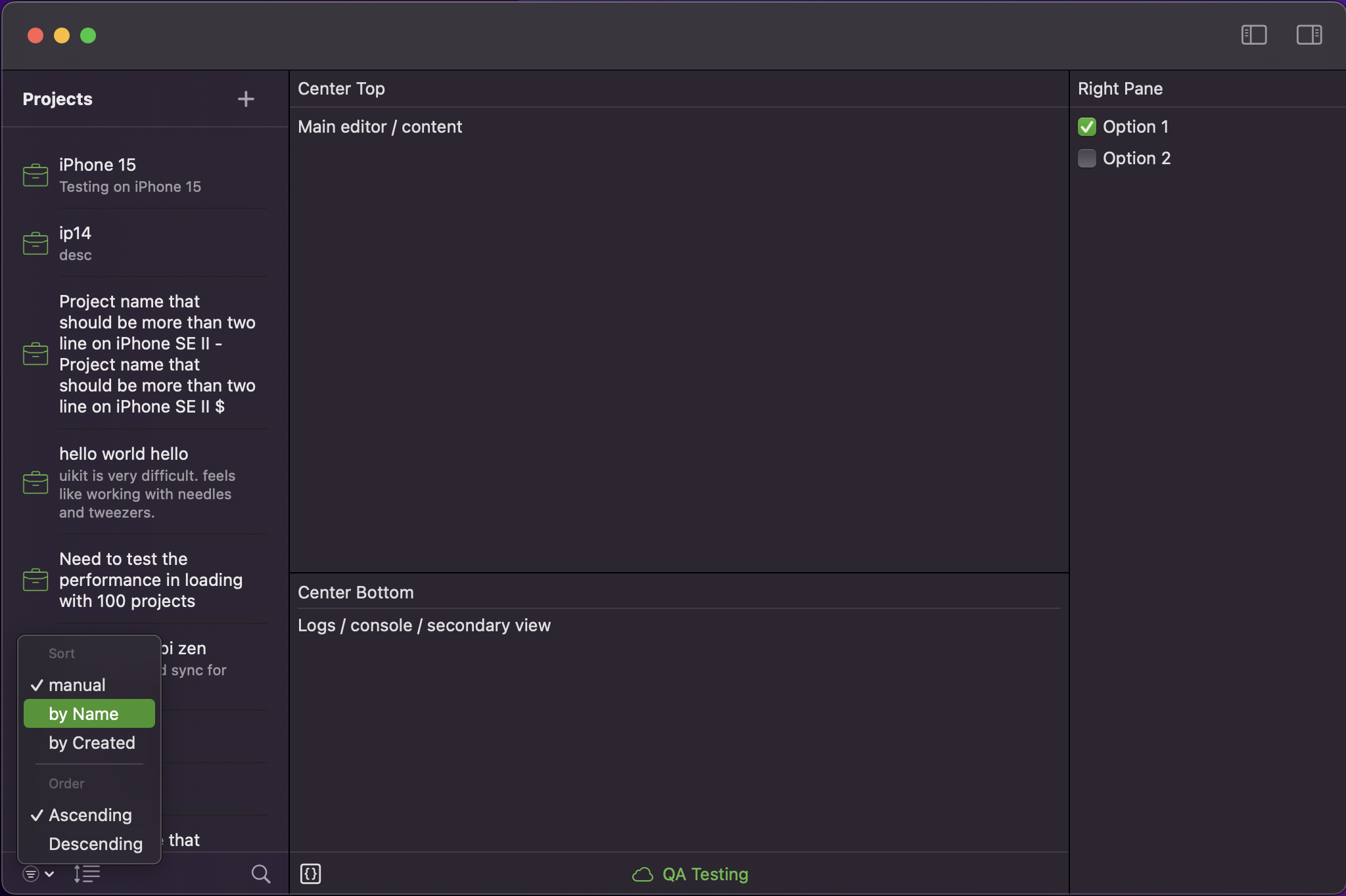
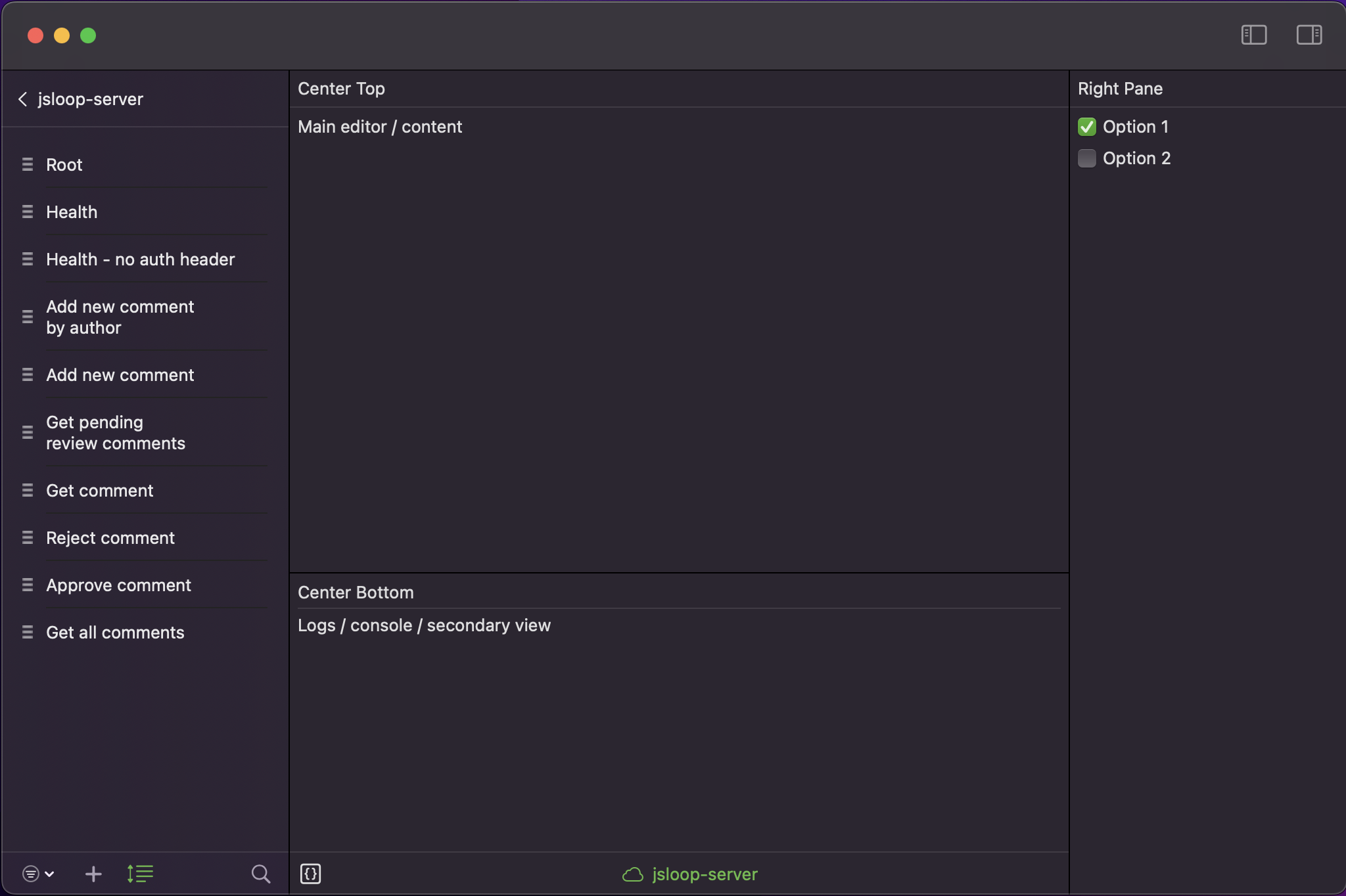
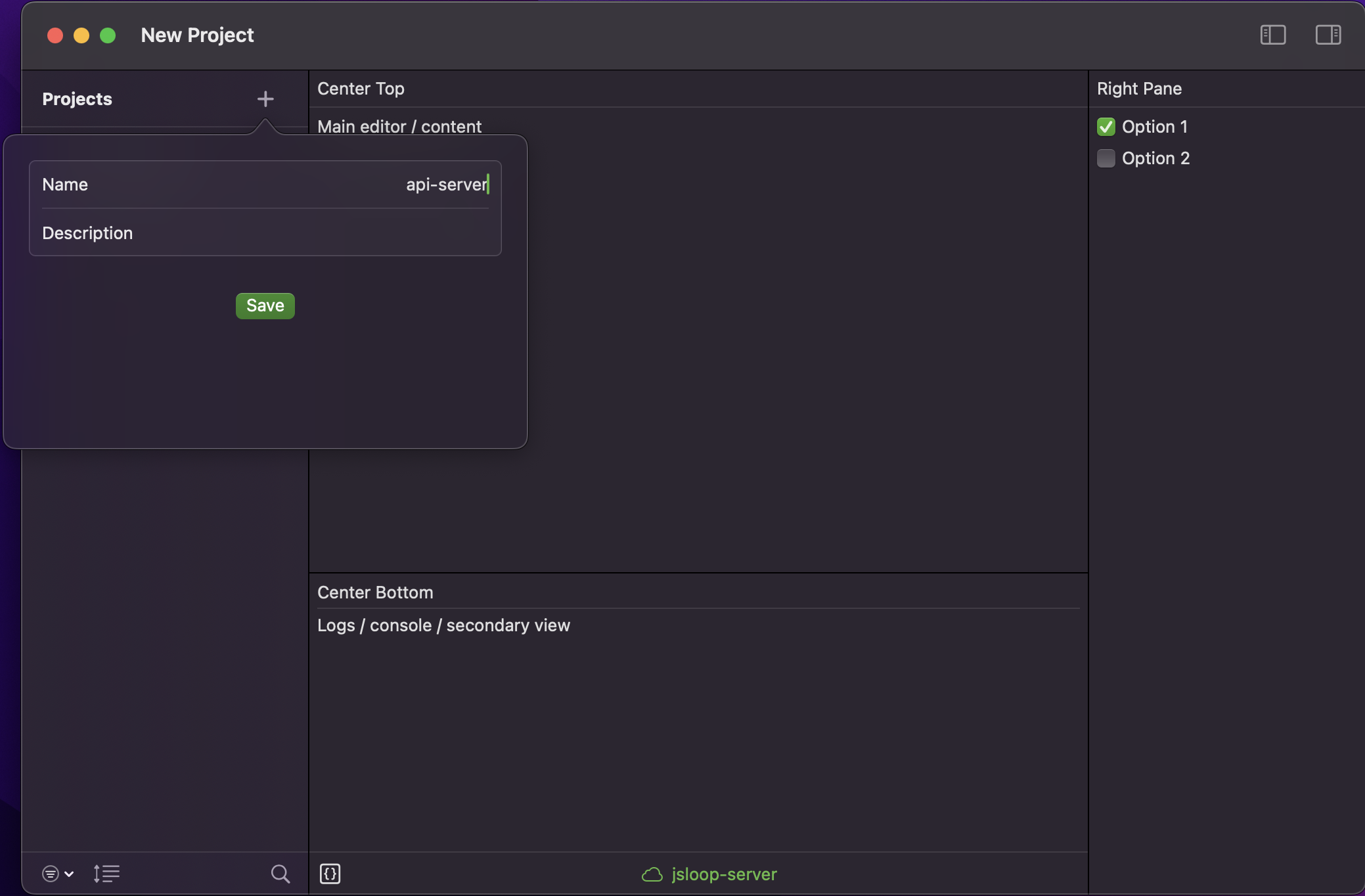
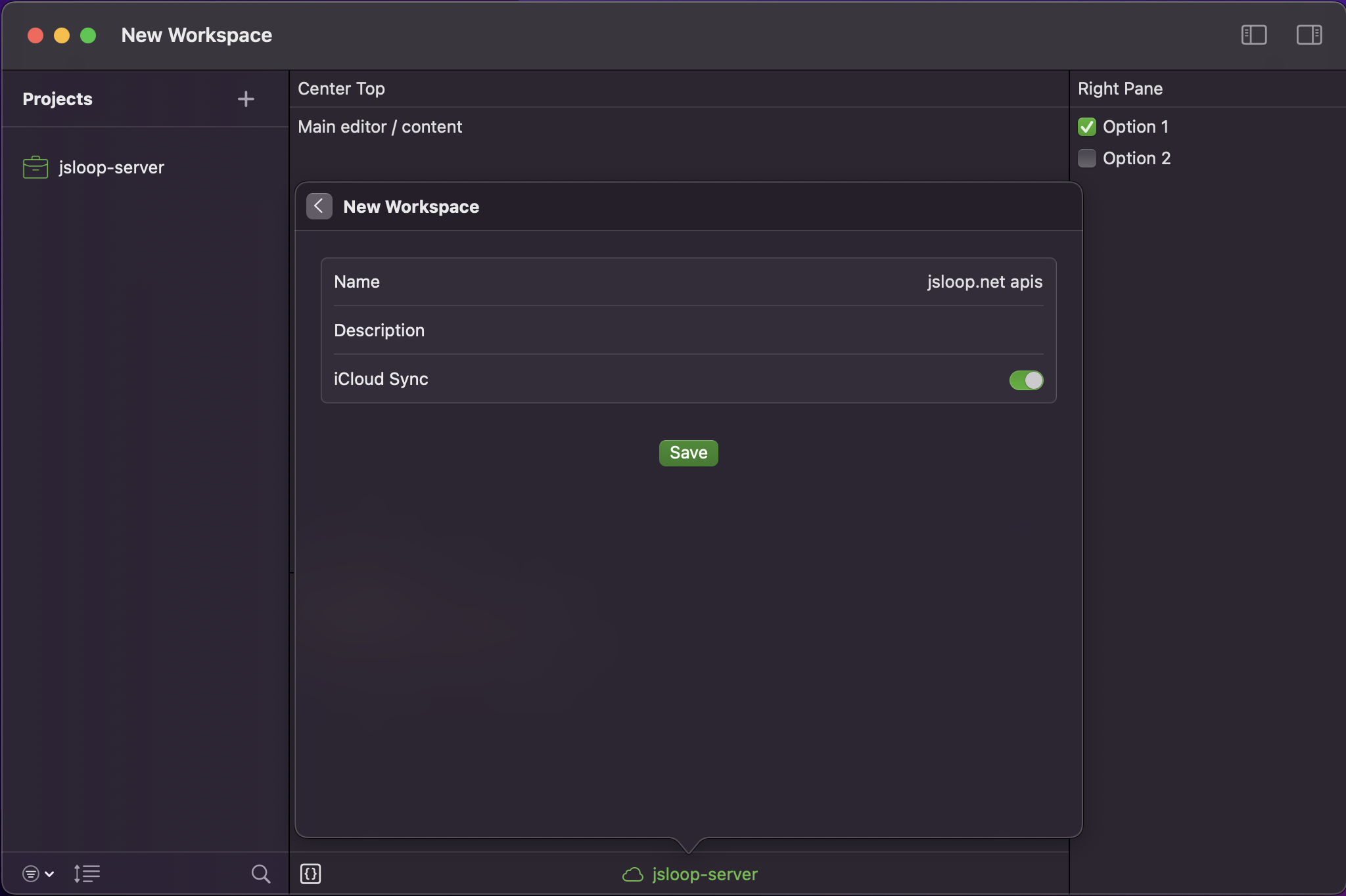
The only thing that was a breeze was Core Data integration. I had planned for this and I converted the app into reusable frameworks. All Core Data and related APIs are in the AZData framework which is included in the iOS project and the macOS project. Data layer is the most important part of any application and as such I have designed it to use the same Core Data model for all platforms. Plus it has iCloud syncing across platforms, so it has to be.
Now to the pain points. First, I need a three pane view. The left pane, right pane and center pane positions should be saved and restored on launch. This is something AppKit does when we specify the auto save name. There is no split pane view in SwiftUI. I tried implementing one using the available components, but the pane drag is not smooth. Positions are maintained as state. There is jitter with position change with state update. Not smooth at all. After battling with it for hours, I realized we need AppKit for this. This is the main view. And I did not want the app to be instantiated from AppKit and host SwiftUI view because then it loses tabs which is present by default with SwiftUI. So I implemented the backing view using NSSplitViewController with three panes hosting SwiftUI views with NSHostingController with the main window created from SwiftUI. Now the pane divider positions are saved and restored by AppKit on launch. Major win.
Now, user can open multiple windows of the app. And if they exited and launched the app back, it should show all the previous open windows. SwiftUI nor AppKit does this by default. Since my windows are in SwiftUI I implemented a WindowsRegistry which tracks open windows and saves the state in user defaults and restores them on launch. All using the SwiftUI working with its declarative nature. I had to come up with many clever ways to get this working. I think I will write up on each pieces separately documenting my findings and put this to rest for the good. This post is about the pain I had to endure developing my app that keeps me asking what's the point in all of this.
After wrestling a lot and spending a day on this I got this working. I had unit tests for this too. Then I moved to tab restoration. If window is opened as a new tab in the existing window group, we should not create new window on launch. It should be added as a tab. So we need tab tracking. Tabs can move from one window to another. Order can change. I wrote all these in the Window Registry. But there is no SwiftUI method to open a new tab. We can only open new window. Fine, let's use AppKit to add tab to the NSWindow that backs the SwiftUI window. I have that implemented. Only to find that when the tab opened with AppKit is active, the add new tab plus button doesn't work because that's SwiftUI and works only when the tab created is using SwiftUI. Seeing the problem. So no, I can't restore tabs and I made peace with it. There are few other pain points with window management like size restoration for new windows, which I did not find a way to do it in SwiftUI. So I used default size.
Okay, I have an amazing WindowRegistry that restores windows perfectly with the selected workspace, its Core Data container type (local or iCloud), pane state visibility. If left pane is hidden, it will remain hidden. And so on. Next I moved to project listing. I implemented fetching to a model using NSFetchedResultsController for efficient data updates in the background when it changes in the container like during sync. And moved to sort menu implementation. A checkmark image, text and spacer doesn't keep the menus aligned vertically. And after trying many different components, I found that only toggle works. I have a nice expanding search icon that performs Core Data search.
Now comes the fun part. Clicking the project list should take to requests listing. And that change should appear with a navigation transition. And back should animate in opposite direction. And it should maintain the scroll offset. Scroll offset doesn't work consistently. Let's implement drag to reorder the list. It doesn't work. The click has higher priority than drag because I am using tap gesture. No problem, let's implement manual drag and drop with drop indicator. Done except the drop handle is not positioning properly in between the list when I am trying to drop. Specifying the offset is not working as expected. I mean these should be part of a list component and an expected behaviour. But if I want that I need to use selection tracking for the list and not use gestures. So did some refactoring and got it working. Nice. Now I click and it notes the project I clicked and moves to its request view. I can drag freely and it reorders without any issue. Except that when we navigate back, that click is still in the state so we cannot click on it again. Click works only on list item change. No problem, once we get the click in the change handler, let's remove the clicked item from the state's list. This enables clicking on the same item again, except that removing the item from the state removes the highlight on the item and it happens quickly that it appears like a flicker before the list transitions to request list. So much work to find that nothing works. I tried delays with DispatchQueue, Task, withAnimation. The selection highlight disappearing is not smooth. I can't use this. So let's find a workaround. Separate drag mode. This way I can use tap gesture for the click tracking and in drag mode we remove the tap gesture which enables the default list drag.
Look at the amount of work required to get something as trivial as a list to work with the convention that the OS has for ages. Writing this post itself is taking time, think about the development work. If I am implementing this with WebUI (HTML5, CSS3, JavaScript), it can be completing in a fraction of time and the development experience would be serene. This is constant battle. Each time enforcing the fact that Apple UI frameworks sucks to the point of no return.
Next I need to implement groups for requests listing. I want request lists to have unlimited nested folders that can have requests. I modelled this in Core Data. That's easy. Now I need to show this in the UI. And there is OutlineGroup for this. Judging by my experience so far I am sure this will not be smooth as just wiring things together. I feel lethargic as each day passes and there is no fun in this programming. I am not enjoying this programming journey. I am not able to look at the code when a day starts and there is no interest in this work anymore. This is not how programming should be. Look at modern web development with plain HTML5, CSS3 and JavaScript. Things simply work.
People developing all these frameworks has no sense of taste nor rigour. It's the same story with UIKit on iOS. SwiftUI is a little better on iOS, but at the end of the day it's all the same. Apple APIs and frameworks are arcane. Swift language features are simply increasing. Macros that writes code requires an entire new project with code that is longer than what you are trying to do. There are actors, but at some points it wasn't yielding any result and makes my code stuck and I changed my implementation in the WindowRegistry to track unique window indexes to use a synchronous queue and it worked perfectly. Could be my lack of understanding of how to use the await keyword, I don't know.
This is the state of programming for Apple platform. Let's talk about planned obsolescence. I am using OCLP to run Sequoia on my 2017 iMac. And it works without any issues. The official supported OS is Ventura. Newer versions of Xcode will not run on past OS version after certain number of releases. And submitting new versions of the app to the App Store requires building using newer versions of the Xcode. See the problem. For an Apple platform developer, the mac hardware becomes obsolete in around 5 to 6 years time. So this means I need to purchase a new mac every 5 years to continue with my app. And it's not like my apps are making much money either. There are some purchases before and I then made it free. I can move it to subscriptions but I don't expect to even breakeven on the Apple Developer fee. API testing on a phone is a niche. I wrote the app for myself initially. API development and testing happens on a computer. Okay, coming back to expenses, running Xcode, two simulators for iOS, one for iPad or virtual machine that runs a different version of macOS for macOS app testing, all requires a very powerful computer. And when I buy a computer, I want to use it as my main computer, means, I need to get a high end version. That's according to me 5 lakhs (~5,500 USD) or more including the studio monitor. This will get me going for 5 years. Next 5 years, I suspect I will have to make similar purchase. And this continues. What is the return on investment? If programming on this is enjoyable, there is some solace. This is burning cash for no apparent reason. I can add this money instead to a retirement fund which will become more valuable with age.
The reason I picked Apple platform is it's the easiest and the most hassle free platform to set up payment and sell software in India. In India getting a payment gateway for an individual is not an easy thing to do. But this is no way to write code. Maybe Apple can learn a thing or two from web technologies.
Sure I find Apple hardware to be better than other company products and I can use it as a consumer, but not as an indie hobbyist developer. The tyranny of programming ends here and so does API Zen and whatever I had in mind.
Maybe I should just do my daily work and enjoy life as it unfolds. That's a better way to live. On a different note, I have to see what are the happenings around web standards these days.